
Planomi

The lean personal planner.

Plan your day, shape your week, month and year, build lasting habits, and see real progress in every area of your life.

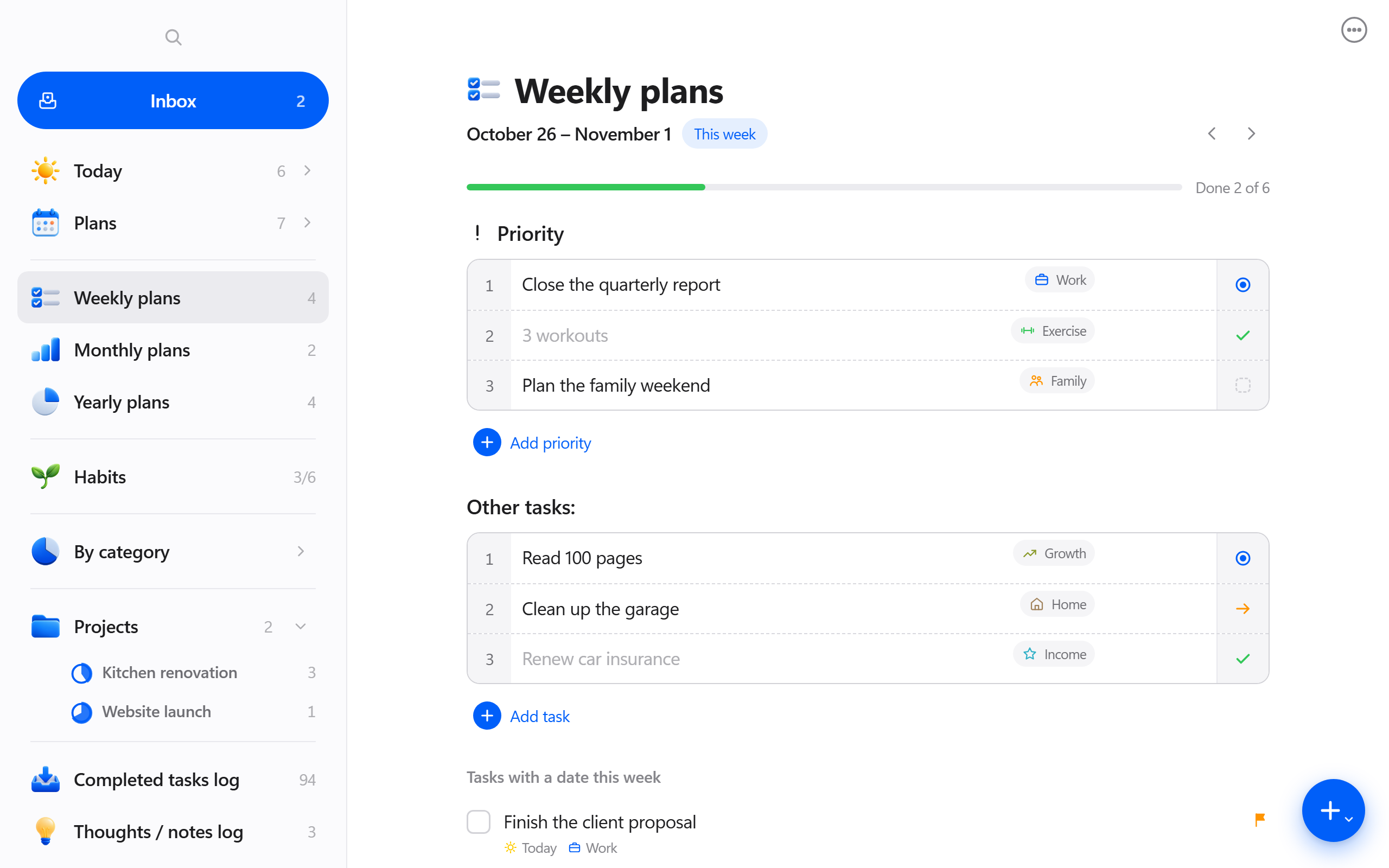
Planomi on a computer: the sidebar and the Weekly plans screen
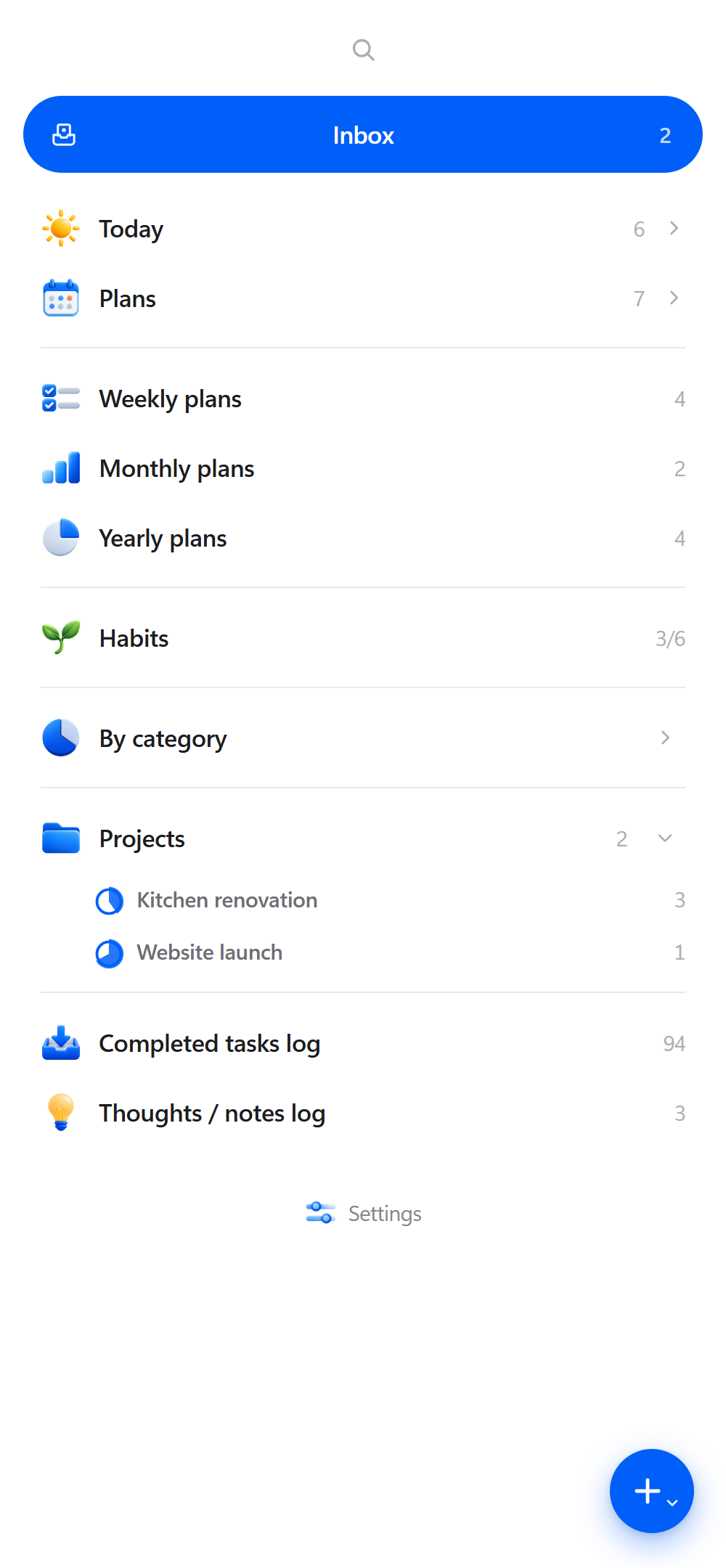
Planomi on iPhone: the main menu

Simply Powerful

Planomi makes it easy. In a few minutes, you’ll have everything off your mind and neatly laid out – from today’s three priorities to the goals you set for this year – so you can stop juggling and start focusing on what matters right now.

See features

Own your Today

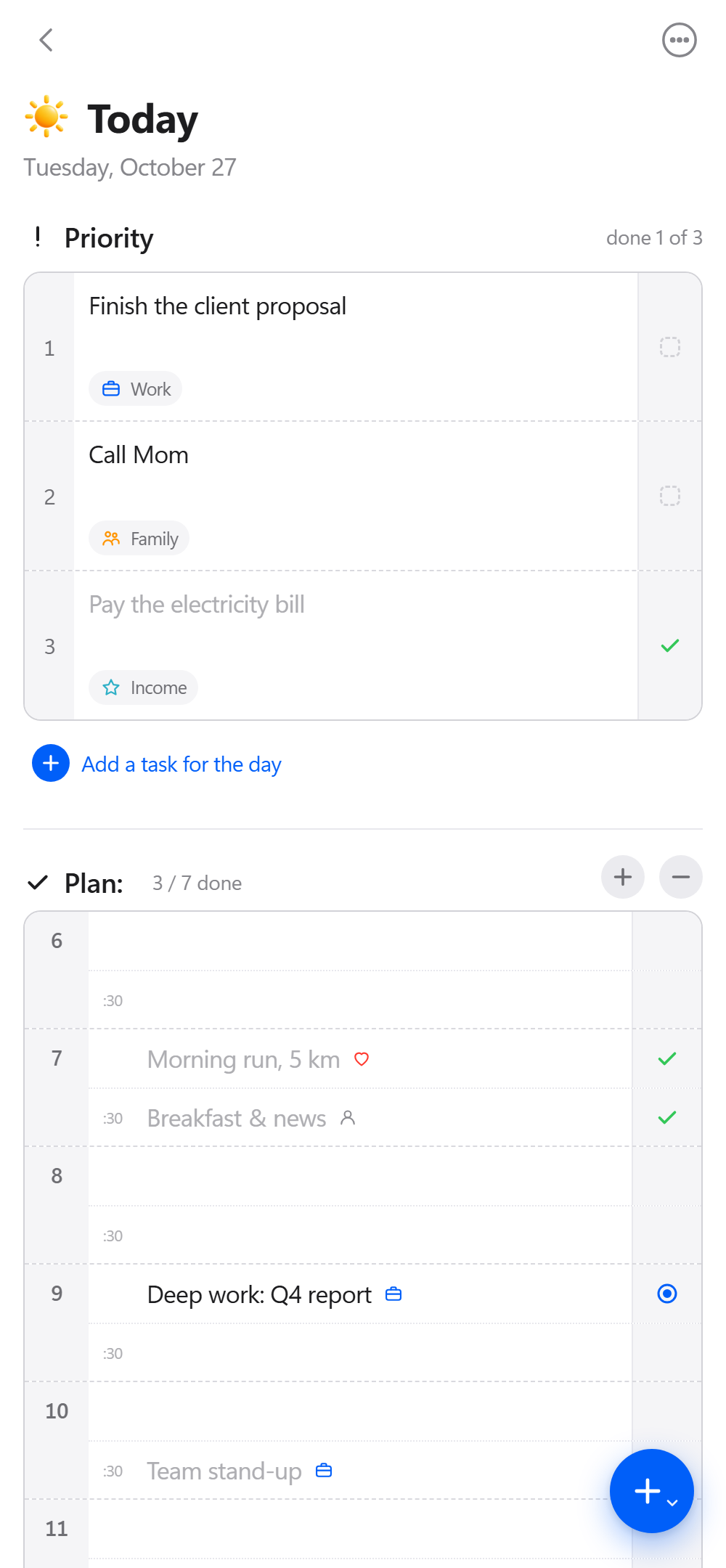
Pick up to three priorities, lay your day out on a timeline from early morning to evening in 30-minute steps, and empty your head into the Brain Dump. Every task gets a clear status: done, not done, in progress, moved or delegated.

  • ✓Done
  • ✗Not done
  • ●In progress
  • →Moved
  • ↘Delegated
Today screen: three priorities and a timeline plan for the day

Plan in layers

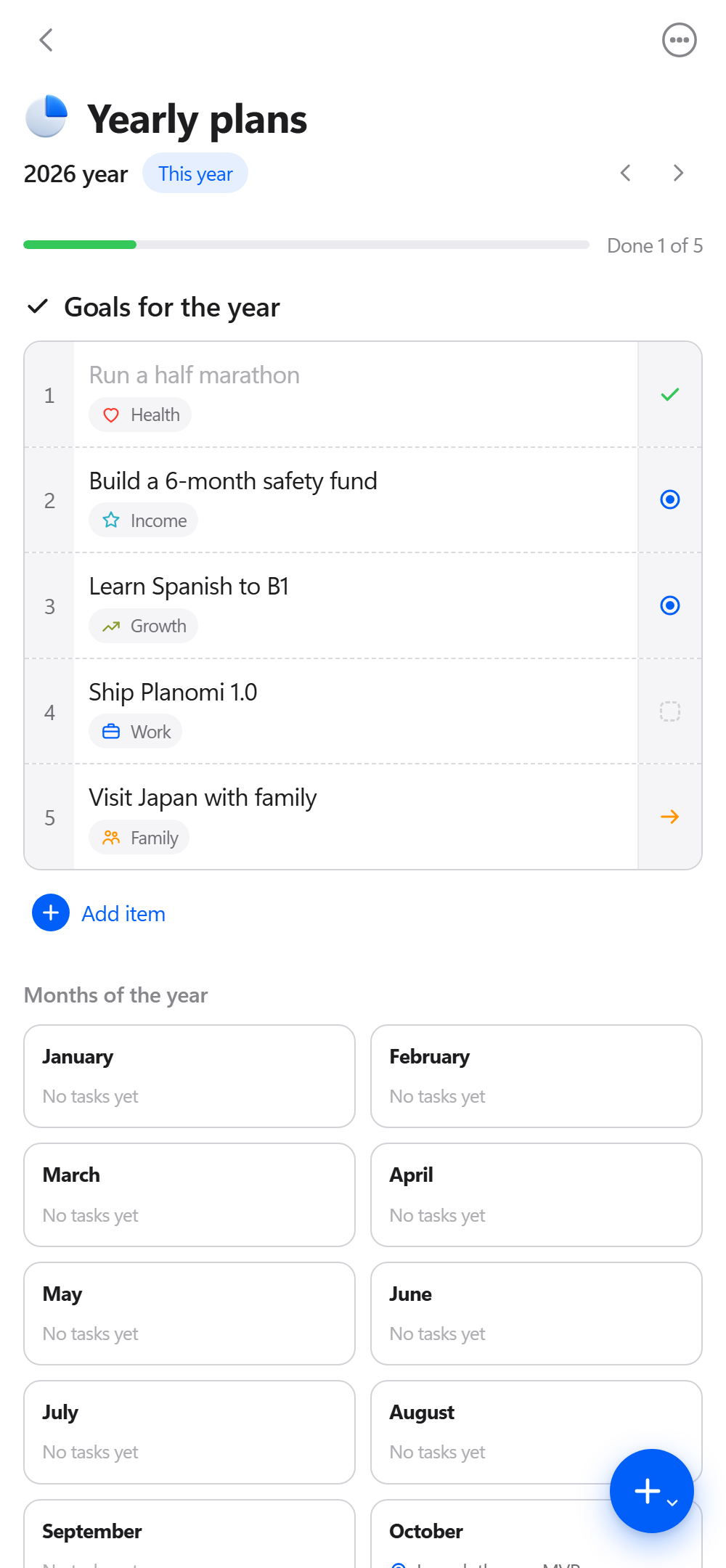
Your week, month and year live in clean tables that feel like a paper planner – only smarter. Flip between periods, add the next one with a tap, and zoom out to see the weeks of a month or the months of a year at a glance.

Start planning
Yearly plans screen: goals for the year with statuses and the months of the year

Projects that move forward

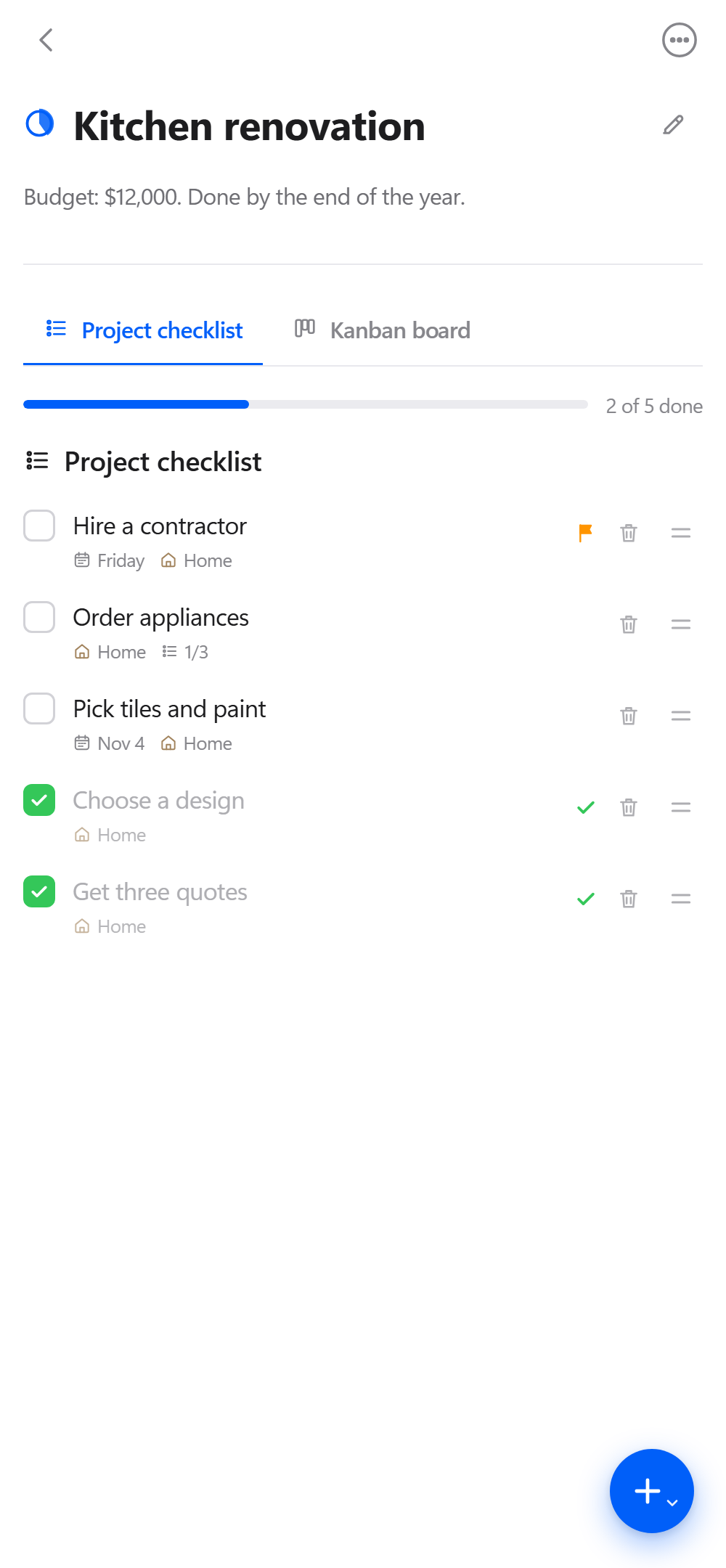
Break big goals into steps, each with a date, category and priority. A progress ring shows how far you’ve come, and when a project needs more room, switch to a Kanban board with lists, cards, labels, checklists and attachments.

Project screen: a checklist of steps with dates, categories and progress

Habits that stick

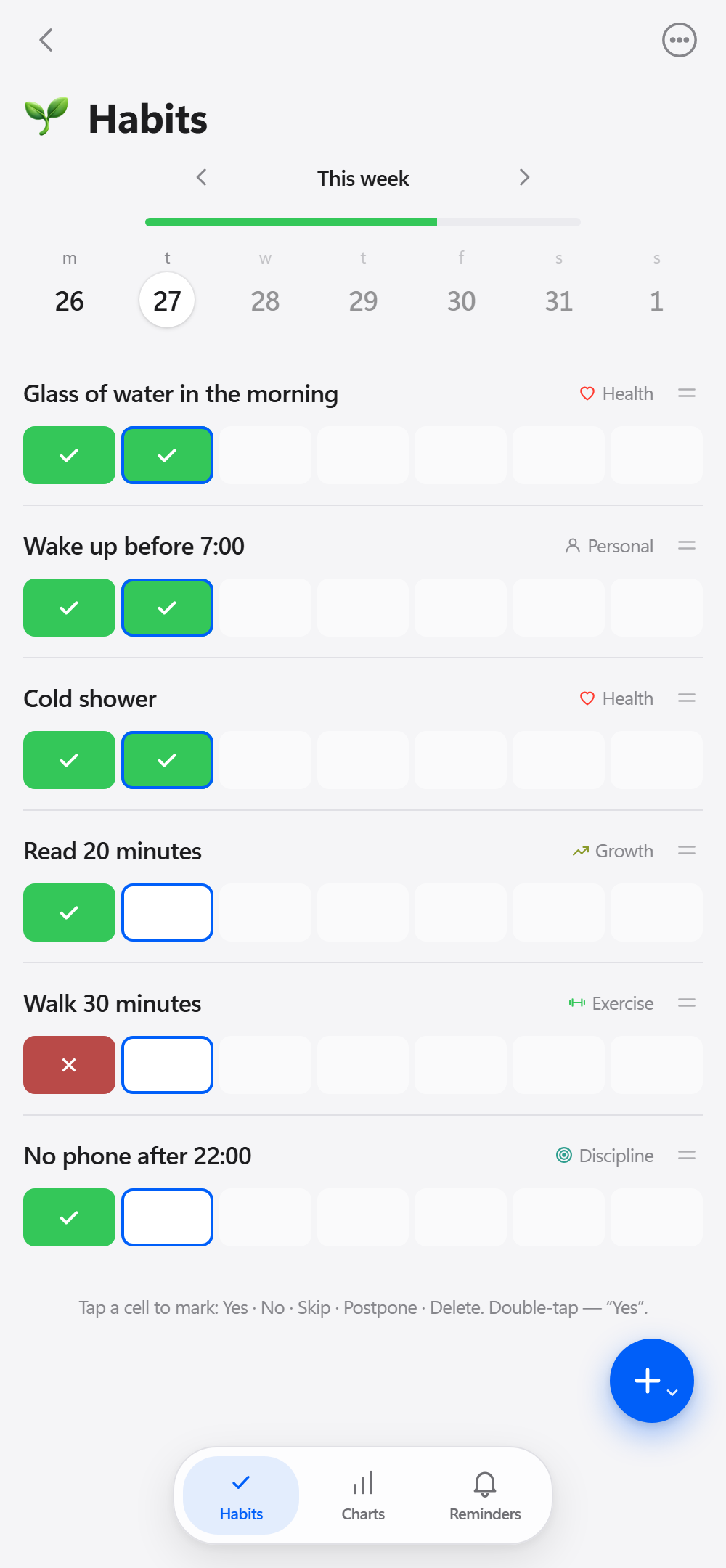
Track the small things that make a big difference. Mark each day Yes, No or Skip, filter by life area, set reminders and watch your streaks grow on clear charts. Habits can flow straight into your plans and categories, too.

Habits screen: a week of habits marked Yes or No

See your whole life in balance

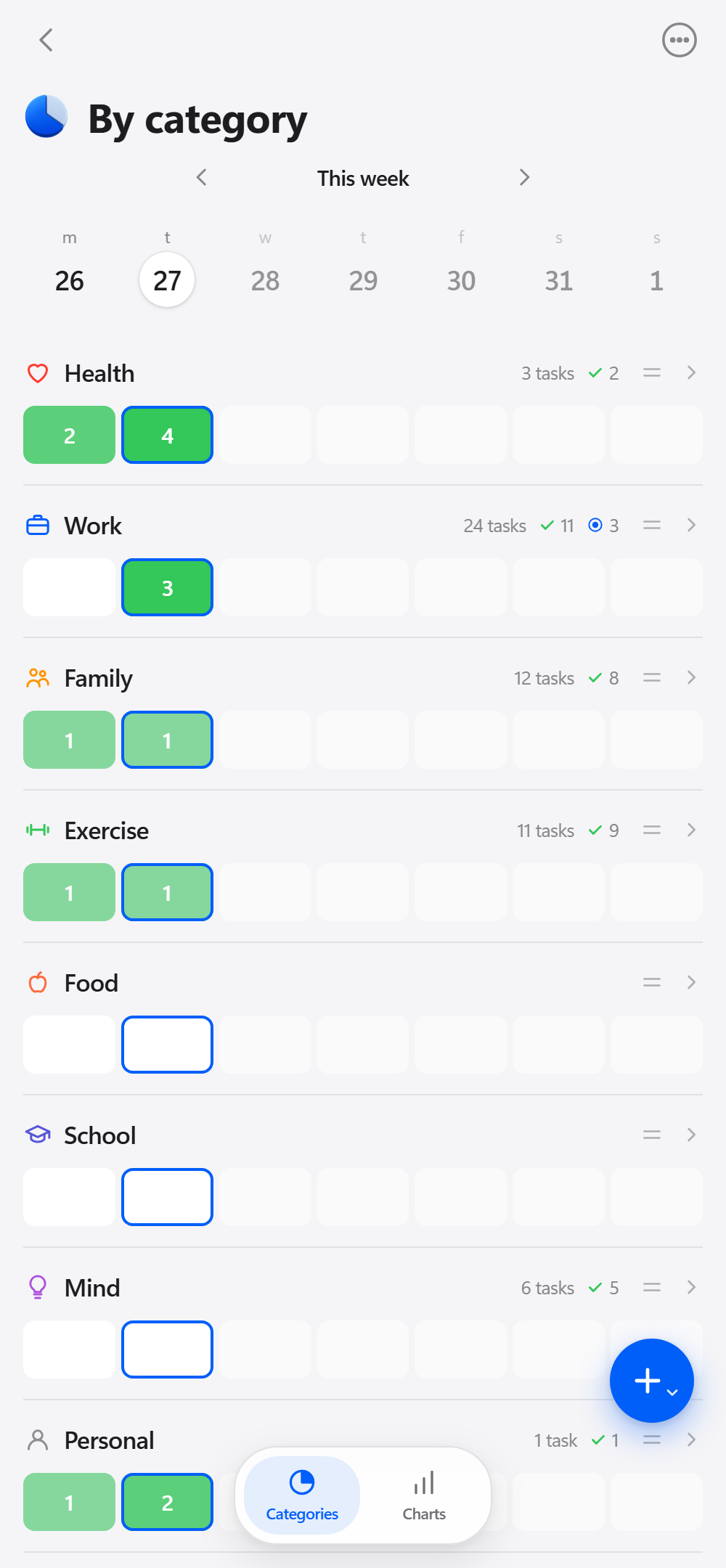
Give tasks and habits a category – Work, Health, Family, Learning – and Planomi fills in a day-by-day table on its own. Green squares show how much you got done in each area, and charts reveal where your time really goes.

By category screen: tasks done per day in each life area

Thoughtful, down to the details

Thoughts & Notes

Every idea from your Brain Dump lands in one journal. Star the important ones, reorder, or turn a thought into a task.

Task Log

A complete history of everything you’ve planned, filterable by status, with statistics on how you really work.

⌘K

Quick Find

Jump to any task, project, habit or note in a second. Press Ctrl+K or / on your computer.

🔔

Reminders & Calendars

Set reminders for timed tasks and send them to Google Calendar or Apple Calendar.

🔒

Private by Design

No account required. Your plans stay on your device, and you can back them up to a file anytime.

✈️

Works Offline

Install Planomi like an app and keep planning on a plane, in the subway, or anywhere else.

🌍

20 Languages

From English and Español to 日本語 and हिन्दी – Planomi speaks your language automatically.

Made to Fit You

Auto-move unfinished tasks to today, choose your categories, and set up the planner your way.

Lean by Design

Planomi is built on a simple, proven rhythm. No clutter, no busywork – just a calm loop that keeps you moving.

1

Capture

Drop everything into the Inbox or the Brain Dump. Sort it later.

2

Plan

Give tasks a day, a category and a priority. Layer them into your week, month and year.

3

Do

Focus on your three priorities and follow your plan through the day.

4

Review

Check statuses, habits and categories. Learn, adjust, and plan the next step.

Get Planomi, Get Planning

Whatever you want to achieve, Planomi can help you get there. Open it today and see what you can do.

iPhone & iPad

Safari → Share → Add to Home Screen

Android

Chrome → Install app

Mac

Safari or Chrome → Install app

Windows

Edge or Chrome → Install app

Open Planomi

No sign-up needed · Your data stays on your device

Questions & Answers

Do I need an account?

No. Planomi works right away without signing up. All your tasks, plans and habits are stored on your device.

How do I move my data to another device?

Open Settings → Save Backup, then on the other device choose Restore from File. That’s it.

Does Planomi work offline?

Yes. Once installed on your home screen or desktop, Planomi works without an internet connection.

Can I use it with my calendar?

Yes. Timed tasks and reminders can be sent to Google Calendar or exported as an .ics file for Apple Calendar.

Which languages are supported?

Planomi is available in 20 languages and picks yours automatically. You can switch anytime in Settings → Language.

Get in Touch

Planomi is designed and built by Kamil Agishev, an independent developer. Have a question, an idea, or found a bug? I’d love to hear from you.

Email Me agishev.kamil111@gmail.com